

Concepts
Why one scheduled task takes 30 seconds and another takes six minutes
Two run records, same model. One task runs its script first, with a median of 30 seconds. The other decides item by item, with a median of 6 and a half minutes.
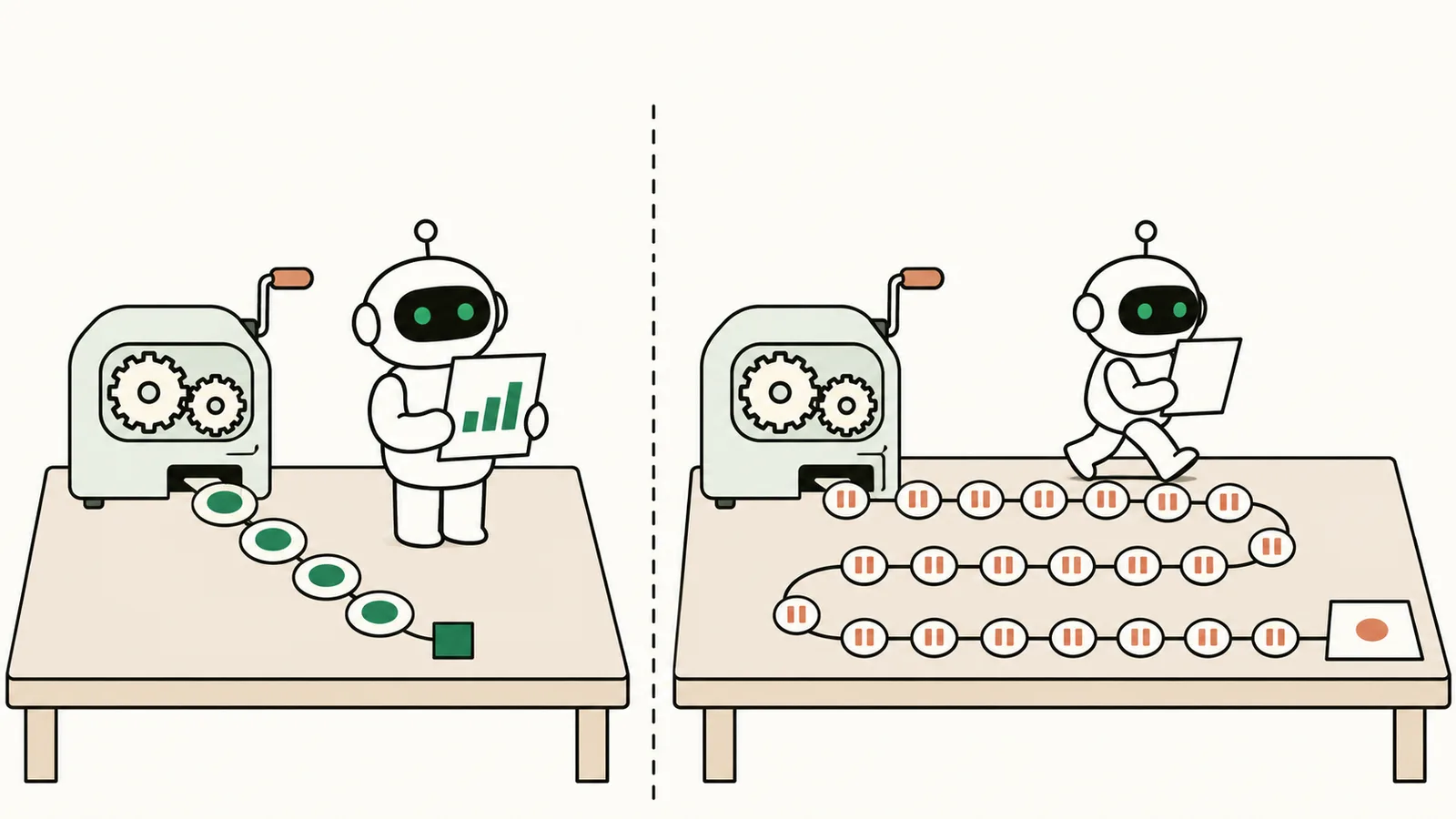
In one set of usage records, on the same model, the step count runs from 4 to 25.
Two records side by side
Section titled “Two records side by side”| Task | Model calls per run | Tool calls per run | Median duration |
|---|---|---|---|
| Script first | 4 | 3 | 30 s |
| Item by item | about 25 | about 29 | about 6.5 min |
The numbers come from the per-run records in my server’s ~/.openmausbot/usage/ over the last two weeks, successful runs only, medians, rounded. Both records used the same model. One model call counts as one step; tool calls are counted separately.
This compares two different tasks, not one task before and after a script change. From 4 steps to 25, the run time grows by more than ten times.


Every step waits once
Section titled “Every step waits once”In this kind of run, every model call waits for an answer, then goes back for the next step. Twenty-five steps means twenty-five round trips.
The wait at each step remains, and the step count adds up. The measurements are in Why a bot task takes tens of minutes.
Which work belongs in a script
Section titled “Which work belongs in a script”| In the script | With the model |
|---|---|
| Fetching, paging, reusing a login | Whether this item matters |
| Deduplicating, comparing, checking thresholds | Why it broke and the likeliest cause |
| Building tables, computing deltas, drawing charts | Whether to wake you now |
| Sending in a fixed format | How to explain it clearly |
The script-first task works this way. The script runs its own fetch and prints candidates. When nothing is new, the model answers with one line, and it never gets a chance to wander.
The item-by-item task needs the other approach. Every pull request needs its checks, conflicts and branch age read, then a decision to merge or close. Twenty-five steps is reasonable there. Forcing that job into a script just creates another project to maintain.
How to move a task to script-first
Section titled “How to move a task to script-first”- Have the bot write down the manual steps it repeats, in order.
- Turn those steps into a script that prints a fixed summary: numbers, changes, anomalies, at most 20 lines.
- Run the script first. If the summary shows no change, reply with one line and stop. Do not keep analysing.
- When something changed, hand the summary to the model and let it judge and explain only.
- Run it for a week and compare steps and duration with the week before.
This scheduled task runs every step itself. Move it to script-first:
- First list the steps it repeats, in order.- Turn those steps into a script that prints a fixed summary: numbers, changes, anomalies, at most 20 lines.- The routine runs the script first. If the summary shows no change, reply with one line and stop. Do not keep analysing.- When something changed, use the summary to decide whether to alert me and how to explain it.
Show me the script and one sample summary first; change the routine after I approve.Back up the current scripts, keep the original routine, and do not delete anything.
Constraints: never print secrets or tokens in the chat. Back up before changing any config. Ask me before changing DNS, routing or time zone.
When not to do this
Section titled “When not to do this”- One-off tasks. Writing the script takes longer than doing the task.
- Tasks where every item needs judgment. PR triage, editing, picking news. The script can remove noise, and the model still makes the call.
- Tasks where the script itself can fail. A script that fails silently is worse than a slow model. Have it print the exit code and the last run time on the first line, and report when it produces no output.
Verify
Section titled “Verify”After a week, read the same usage records and compare. This prompt works well in a bot that can read the server:
Read the last two weeks of usage records on my OpenMausBot server:on my server, the jsonl files under ~/.openmausbot/usage/ usually have one row per run with trigger.label, input, cachedInput, steps, tools, start and end time. Skip fields missing from older records, and skip records without trigger.label.
Group runs by trigger.label, split them before and after the script change, and give me a table:runs, median model steps per run, median duration, median input, cache hit rate.
Then tell me whether the median steps per run went down.Do not change anything.
You want fewer steps and shorter runs. If steps did not drop, the script is probably making the judgment too, or the model is still confirming items one by one.
Next steps
Section titled “Next steps”- A daily site check: a task that starts well as a prompt.
- A two-minute GitHub triage every morning: a task that deserves the extra model steps.
- How to make a bot work on a schedule: checks and recovery.
Spotted a mistake or something out of date? Tell us on GitHub
MausBot Guide is an independent, unofficial community guide and is not affiliated with Supamaus Software Private Limited. OpenMausBot, MausBot and the mascot are trademarks of their respective owner.